Computer Networks · Module 5 — Network Layer
Routing: the routing table and how a router decides
A router cannot store one entry per device. It cannot even store one entry per network: there are around a million networks on the internet.
Sign in to track your score
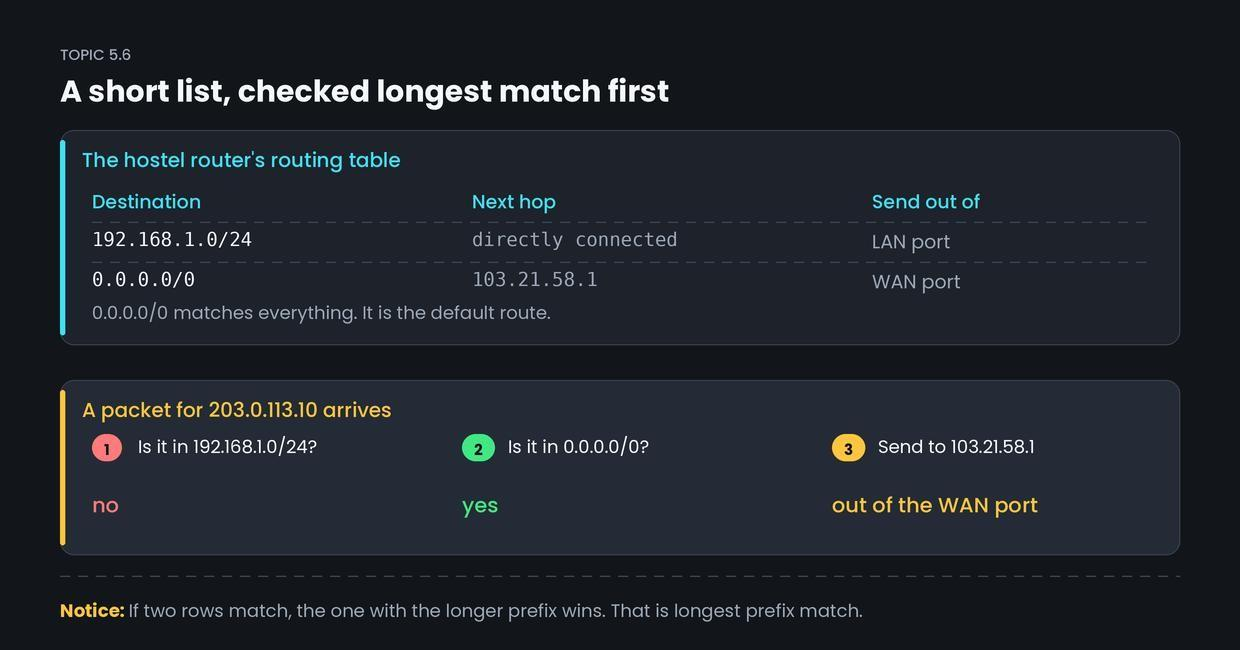
There are billions of addresses on the internet. The hostel router's routing table has two rows.
Why & what
Why routing works at all. A router cannot store one entry per device. It cannot even store one entry per network: there are around a million networks on the internet.
The trick is that most routers do not need to know much. They only need to know two kinds of thing.
- The networks they are directly attached to.
- One address to send everything else to.
What a routing table is. A routing table is a list of destinations and where to send packets for each. Each row has:
- Destination network: written in CIDR, like 192.168.1.0/24.
- Next hop: the IP of the next router along, or "directly connected".
- Interface: which physical port to send it out of.
The default route. 0.0.0.0/0 matches every possible address, because it specifies zero network bits. It is the row that means "anything I do not recognise goes here". For the hostel router, that points at AirLink.
Static vs dynamic.
- Static routing: an admin types the routes in. Fine for a small fixed network.
- Dynamic routing: routers exchange information and build their tables automatically, using protocols like OSPF and BGP. Necessary at internet scale, because paths change constantly.
How it works
A packet for 203.0.113.10 arrives at the hostel router.
- The router reads the destination IP from the packet header.
- It compares that address against every row in the table.
- 192.168.1.0/24: does 203.0.113.10 fall inside it? No.
- 0.0.0.0/0: does it fall inside? Yes, everything does.
- It sends the packet to the next hop 103.21.58.1, out of the WAN port. The next router repeats the same five steps.
If two rows both match, the one with the longer prefix wins. 192.168.1.0/24 beats 0.0.0.0/0 because 24 is more specific than 0. This rule is called longest prefix match.
Common confusion
Students think the router knows the whole path to the destination before sending. Actually, each router only knows the next hop. Nobody knows the full route.
The hostel router does not know how to reach college.edu. It only knows that AirLink is closer to it than the hostel is. AirLink's router repeats the same decision, and so on, one hop at a time. This is why traceroute works, and why two packets in the same conversation can take different paths. The route is not planned: it emerges, one decision at a time.
Interview angle
Asked as: "How does a router decide where to forward a packet?" and "What is the default route?" Longest prefix match is the phrase they are listening for.
Model answer:
The router reads the destination IP from the packet header and looks it up in its routing table.
Each entry has a destination network in CIDR form, a next hop, and an outgoing interface. If several entries match, it picks the one with the longest prefix, because that is the most specific route. 0.0.0.0/0 is the default route and matches everything, so it is only used when nothing more specific matches. The router only knows the next hop, never the full path. Each router along the way makes the same decision independently, so the route emerges hop by hop. Tables are filled either statically by an admin or dynamically by protocols like OSPF inside a network and BGP between networks.
- 1.
What does 0.0.0.0/0 mean in a routing table?
- 2.
Two entries match a destination. Which one is used?
- 3.
How much of the path does a router know?
- 4.
Which protocol is used for routing between different networks on the internet?