Computer Networks · Module 4 — Physical & Data Link Layer
Physical layer: media, signals and transmission modes
Two laptops cannot exchange a "1". They can only exchange something physical: a voltage on copper, a pulse of light, a radio wave.
Sign in to track your score
Everything above this layer is an idea. IP addresses, ports, packets none of them physically exist. At this layer, data is voltage, light or radio. Something real.
Why & what
Why this layer exists. Two laptops cannot exchange a "1". They can only exchange something physical: a voltage on copper, a pulse of light, a radio wave.
So the bottom layer's job is narrow and simple: turn bits into a signal, send it, and turn the signal back into bits. It does not know what the bits mean. It does not know who they are for. What carries the bits.
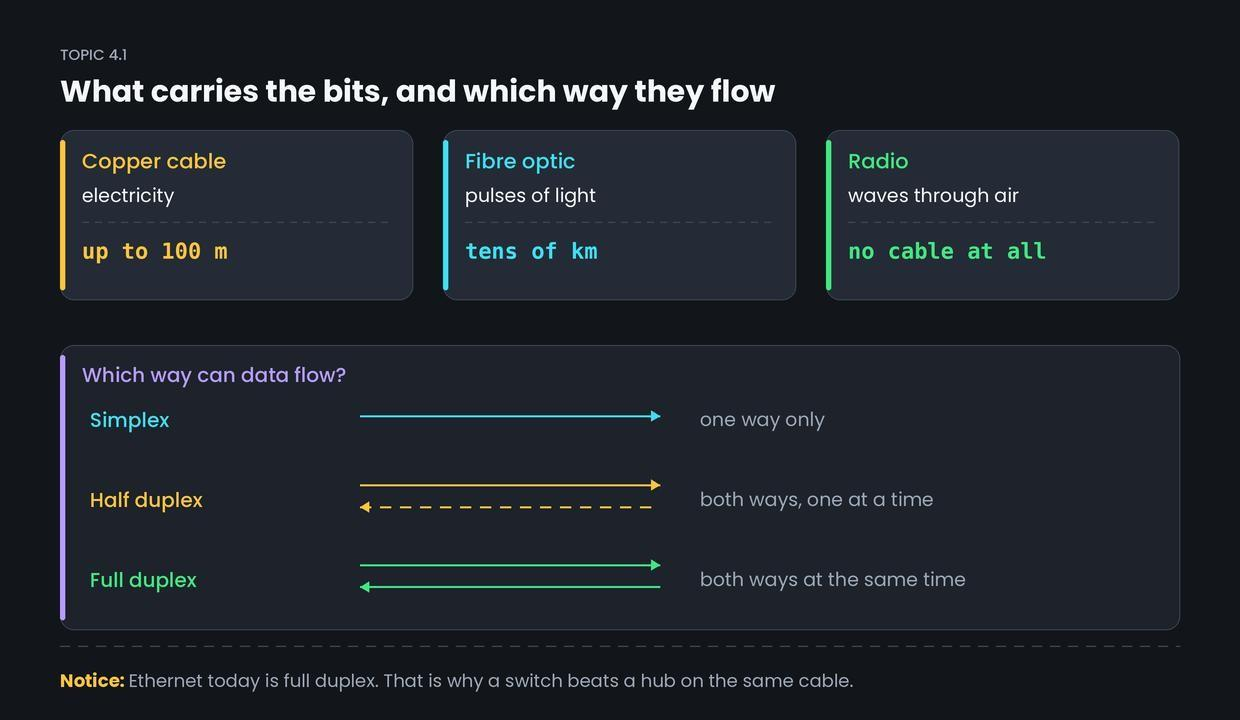
- Twisted pair copper cheap, easy, and the normal cable in a building. Good to about 100 metres, then the signal fades.
- Fibre optic — light through glass. Very fast, immune to electrical noise, works over tens of kilometres. Used between buildings and cities. AirLink's line to the hostel is fibre.
- Radio — no cable at all. Convenient, but shared with everyone nearby and easily blocked by walls.
Which way data can flow. Three modes, and interviews ask for all three.
- Simplex — one direction only, forever. A keyboard to a computer. A TV broadcast.
- Half duplex — both directions, but only one at a time. A walkie-talkie. You must say "over".
- Full duplex — both directions at once. A phone call. Modern Ethernet and Wi-Fi links.
How it works
- The data link layer hands down a finished frame — just a row of bits.
- The physical layer converts each bit into a signal: a voltage level, a light pulse, or a radio change.
- The signal travels along the medium and weakens as it goes.
- The receiver samples the signal and decides, for each moment, whether it was a 1 or a 0.
- Those bits go up to the receiver's data link layer, which reassembles the frame.
Common confusion
Students think the physical layer decides where data goes. Actually, it has no idea where anything is going.
It cannot read a MAC address or an IP address, because those are just more bits to it. That is exactly why a hub a physical layer device — has to copy everything to every port. It is not being lazy. It genuinely cannot tell one destination from another.
Interview angle
Asked as: "Difference between simplex, half duplex and full duplex?" A quick one, often used as a filler question.
Model answer:
Simplex is one-way only — data flows in a single fixed direction, like a keyboard to a computer. Half duplex is two-way but not simultaneous. Both sides can send, but they take turns, like a walkie-talkie. Older Ethernet over a hub worked this way, which is why collisions happened. Full duplex is two-way at the same time, like a phone call. A modern switched Ethernet link is full duplex, with separate paths for sending and receiving, so there are no collisions.
- 1.
A walkie-talkie is an example of
- 2.
Which medium carries data as pulses of light?
- 3.
Why must a hub copy data to every port?
- 4.
The physical layer's job is to