Computer Networks · Module 7 — Application Layer
Full trace, end to end
Every module so far explained one stage in isolation. Interviews ask for the whole thing, in sequence, in about ninety seconds.
Sign in to track your score
Aisha opens her laptop and loads college.edu. You now know every single thing that happens. This topic just puts them in order.
Why & what
Why this topic exists. Every module so far explained one stage in isolation. Interviews ask for the whole thing, in sequence, in about ninety seconds.
Nothing here is new. If any stage feels unfamiliar, that is a signal to reread that module rather than memorise this list.
The fixed cast, one last time.
- aisha-laptop — 192.168.1.42, MAC AA:BB:CC:11:22:33
- Hostel router HostelNet-3F — 192.168.1.1 inside, 103.21.58.7 outside, MAC DD:EE:FF:00:11:22
- ISP AirLink — next hop 103.21.58.1
- Resolver — 8.8.8.8
- college.edu — 203.0.113.10, port 443
How it works
The whole journey, grouped into five stages.
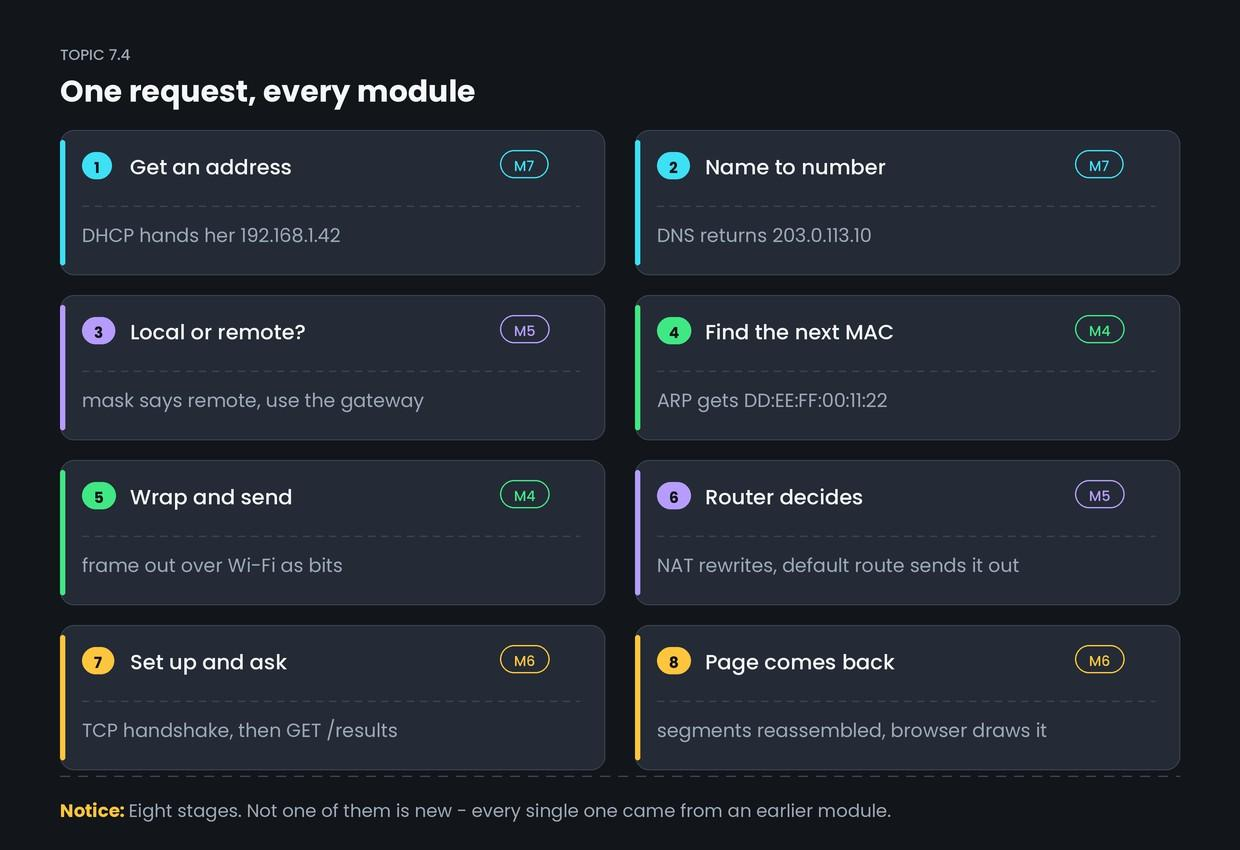
- Join the network. DHCP's DORA exchange gives her 192.168.1.42, mask 255.255.255.0, gateway 192.168.1.1 and DNS 8.8.8.8. (Module 7)
- Find the address. Her browser asks 8.8.8.8 for college.edu over UDP 53. Root, then .edu, then the authoritative server. Answer: 203.0.113.10. (Module 7)
- Decide where to send it. 203.0.113.10 AND the mask does not match her own network, so it goes to the gateway. She ARPs for 192.168.1.1, gets DD:EE:FF:00:11:22, and builds an Ethernet frame. (Modules 4 and 5)
- Cross the internet. The router NATs her source to 103.21.58.7:40001, matches the default route 0.0.0.0/0, and forwards to AirLink. Each router along the way strips the frame, reads the IP header, and builds a new frame for the next hop. (Modules 4 and 5)
- Talk to the server. TCP three-way handshake to port 443, TLS handshake, then GET /results. The response comes back as numbered segments, acknowledged and reassembled, and the browser draws the page. (Modules c and 7)
Common confusion
Students think the IP addresses change as the packet crosses each router. Actually, the MAC addresses change at every hop. The IP addresses stay the same end to end.
This is the single most useful idea in the course, and it is worth stating precisely.
- MAC addresses answer "who is the next device on this wire?" They are rewritten at every single hop.
- IP addresses answer "who is the final destination?" They stay put.
The one exception is NAT, which deliberately rewrites the source IP at the boundary — and that is exactly why NAT is considered a special case rather than normal routing.
Interview angle
Asked as: "What happens when you type a URL into a browser and press Enter?" The most common networking interview question there is. Ninety seconds, in order, no rambling.
Model answer:
First the machine needs to be on the network at all — DHCP gives it an IP address, subnet mask, default gateway and DNS server. The browser resolves the domain name using DNS, checking its cache, then the OS cache, then a resolver, which walks the root, TLD and authoritative servers over UDP port 53. With the IP address, the host ANDs it with its subnet mask, finds the destination is not local, and so sends it to the default gateway. It uses ARP to find the gateway's MAC address and builds an Ethernet frame. Each router strips the frame, reads the IP header, applies longest prefix match, and builds a new frame for the next hop — so MAC addresses change every hop while the IP addresses stay the same. NAT rewrites the source address at the network boundary. At the server, TCP completes a three-way handshake on port 443, TLS negotiates encryption, and the browser sends an HTTP GET. The response comes back as segments, which TCP reorders and acknowledges, and the browser renders the page.
- 1.
In the correct order, which comes first?
- 2.
As the packet crosses five routers, what changes at each hop?
- 3.
Aisha's laptop sends an ARP request for which address?
- 4.
Which stage assigns her the default gateway address in the first place?