DBMS · Module 9 — Beyond Relational
Sharding & Replication
Sharding splits rows across machines to add capacity, replication copies rows to add read speed and redundancy and neither replaces a backup.
Your college database outgrows one machine.
You can split the data across several machines, or copy it to several machines. Those sound similar. They solve completely different problems.
Why & what
One machine has a size limit and a speed limit, and it's also a single thing that can die. Two different fixes:
Sharding splits the rows across machines, so each holds a different slice. Replication copies the same rows to several machines, so each holds the same data.
Split versus copy. Everything follows from that.
How it works
2 million students, one machine straining.
- Shard by roll number. Rolls 100–199 on machine 1, 200–299 on machine 2, 300–399 on machine 3. Each machine now holds a third of the data and a third of the load. Capacity solved.
- The cost of sharding. A query for one student is easy — go to the right shard. But "average grade across all students" must visit every shard and combine results. And a transaction spanning two shards is genuinely hard. Choosing a bad shard key — one that sends most traffic to one machine — recreates the original problem.
- Now replicate instead. One primary takes all writes. Two replicas hold copies and serve reads. Read-heavy workloads get much faster, because reads spread across three machines.
- The cost of replication. Replicas lag behind the primary by a little. A read right after a write may return the old value — which is the eventual consistency from 9.3, appearing in a real system.
- Most real systems do both. Shard for capacity, replicate each shard for read speed and safety. And replication doubles as a spare copy: if the primary dies, a replica takes over.
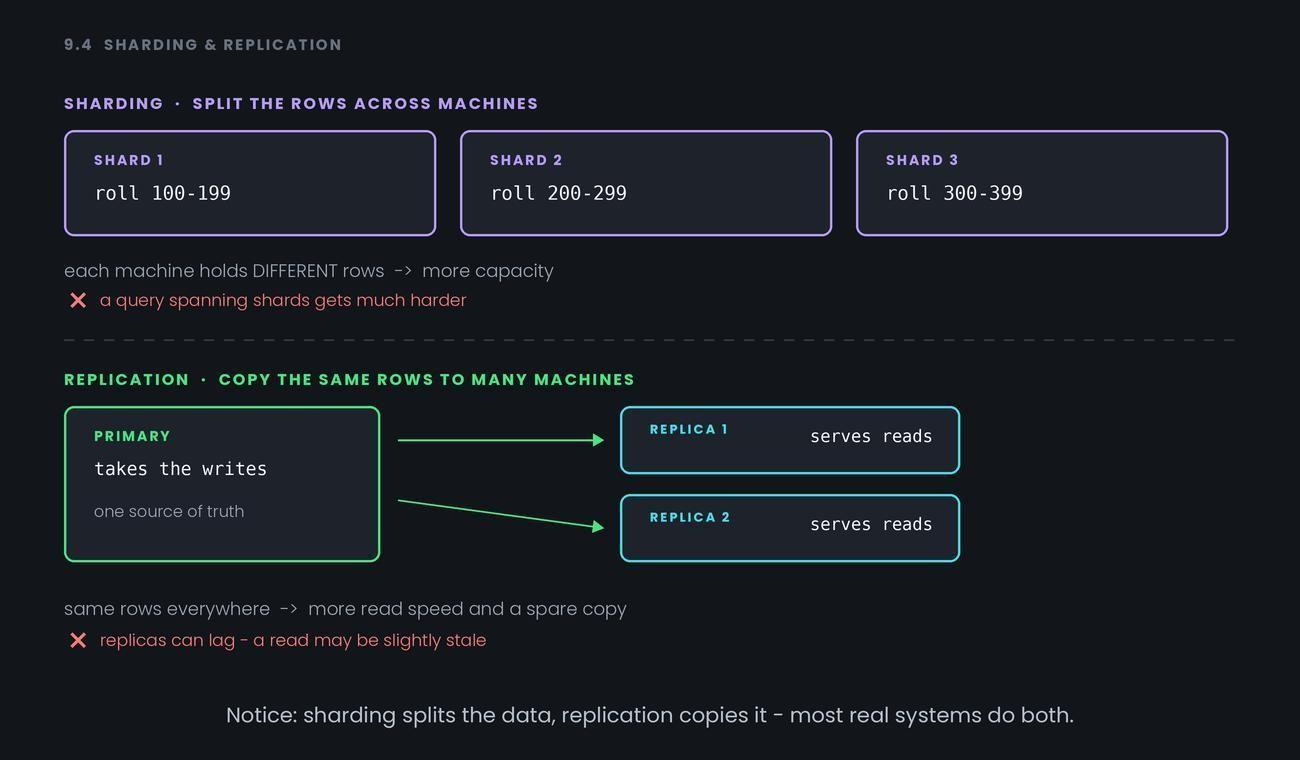
Notice: sharding splits the data, replication copies it — most real systems do both.
Common confusion
The two get swapped constantly. Fix it with one sentence: sharding gives each machine different rows; replication gives each machine the same rows. Different versus same.
Then the follow-up: sharding solves capacity, replication solves read load and redundancy. A sharded system with no replicas still loses data when one machine dies — each shard is a single point of failure for its slice.
Second: replication is not a backup. A deleted row replicates instantly to every replica.
Replication protects against a machine dying, not against a mistake — which is why Module 8.4's backups still exist.
Interview angle
- "Difference between sharding and replication?" — Sharding splits rows across machines for capacity; replication copies rows for read speed and redundancy.
- "What makes a good shard key?" — One that spreads traffic evenly and keeps related rows together. A bad key creates a hot machine and cross-shard queries.
- "Why might a read return stale data after a write?" — The read hit a replica that hasn't caught up with the primary yet.
- "Is replication a backup?" — No. Mistakes replicate too. Backups protect against bad data; replication protects against a dead machine.
Recap
Sharding splits rows across machines to add capacity, replication copies rows to add read speed and redundancy and neither replaces a backup.