Operating Systems · Module 1 — Foundations: What an OS Actually Does
Power button to login: the boot sequence
This is a chicken-and-egg problem, and it is solved by a chain. Each link is a small program whose only job is to start a slightly bigger one. The word for this is bootstrapping — pulling yourself up by your own bootstraps.
Sign in to track your score
Aisha presses the power button. Black screen. Then a logo. Then, 18 seconds later, a login box. Here is the strange part.
RAM is volatile — it forgets everything the moment power is cut. So at the instant she pressed the button, RAM was empty. Completely. Not one instruction in it.
The OS was sitting on the SSD as a file. A file cannot run. Files have to be loaded into memory by a program.
But the program that loads programs is the OS.
So who loads the loader?
Why & what
This is a chicken-and-egg problem, and it is solved by a chain. Each link is a small program whose only job is to start a slightly bigger one. The word for this is bootstrapping — pulling yourself up by your own bootstraps.
Three names you need:
- Firmware — a small program permanently stored on a chip on the motherboard. It does not live on the SSD, so it survives an empty RAM. You may hear it called BIOS or UEFI.
- Bootloader — a tiny program stored in the very first block of the SSD. Its only job is to find the kernel and load it.
- Kernel — the core of the OS, from Topic 1.1.
Notice the pattern: firmware is tiny and dumb but always available. The kernel is huge and clever but has to be fetched. The bootloader is the bridge.
How it works
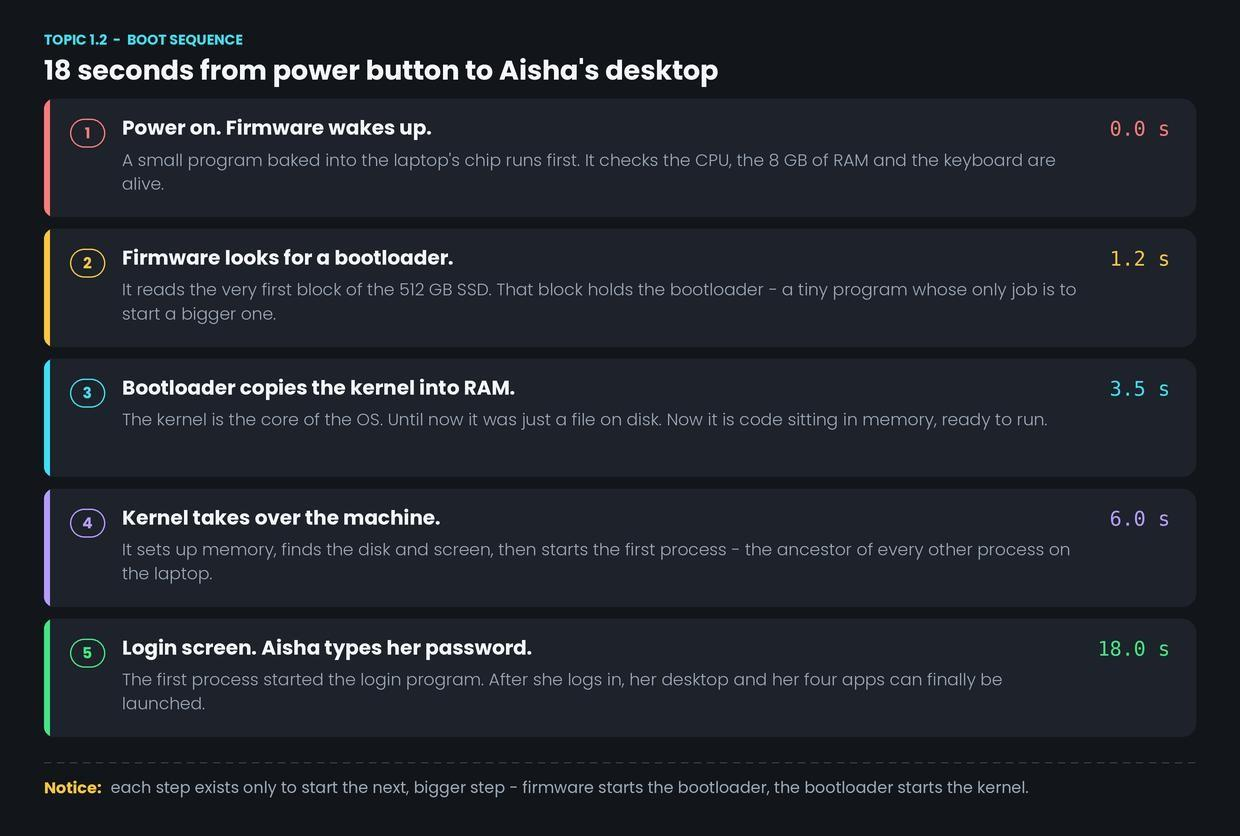
- 0.0 s — Power on. The firmware runs from its chip. It checks that the CPU, the 8 GB of RAM and the keyboard actually respond.
- 1.2 s — Find the bootloader. The firmware reads the first block of the 512 GB SSD into memory and runs it.
- 3.5 s — Load the kernel. The bootloader copies the kernel file from the SSD into RAM. Until this moment the OS was only a file. Now it is live code.
- 6.0 s — The kernel takes charge. It sets up memory, finds the screen and the disk, and starts the very first process. A process is simply a program that is currently running. Module 2 unpacks this properly.
- 18.0 s — Login. That first process starts the login program. Aisha types her password, and only then can her four apps be launched.
Common confusion
"BIOS is the operating system." No. The firmware runs for about a second and then hands over. It cannot open files or run apps. It is a starter motor, not an engine.
"Rebooting reloads everything." A restart does repeat this whole chain. But waking from sleep does not — RAM was kept powered the whole time, so the kernel and the four apps are still sitting there. That is why sleep resumes in one second and a restart takes 18.
Interview angle
The classic version is: "What happens when you press the power button?" It is often asked as the very first question, to see if you can tell a story in order.
Answer it as the chain: firmware wakes and tests the hardware, firmware loads the bootloader from the first disk block, the bootloader loads the kernel into RAM, the kernel initialises the machine and starts the first process, that process starts login.
Five steps, in order, with the reason each one exists. That is the whole answer.
- 1.
Why can the kernel not simply start itself when the laptop powers on?
- 2.
Aisha closes her lid and reopens it two minutes later; her desktop appears in one second. Why is this faster than the 18-second boot?